
Big ideas.
Beautiful websites.
30 days to try Pro.
Give your content a better home. Create expressive grids, dynamic pages and richer shopping experiences with Flexi Post Grid Pro.
30-day trial · Registration required · Same plugin when you upgrade

Spaces that inspire.
ARCHITECTURE · SAMPLE CONTENT

A different perspective.
LIFESTYLE · SAMPLE CONTENT

Stories worth discovering.
TRAVEL · SAMPLE CONTENT

Designed for everyday.
DESIGN · SAMPLE CONTENT
YOUR PRO TOOLKIT
Create your account
Start on our website with a simple signup.
Verify your email
Confirm your email to access your download.
Download & install
Add the plugin to WordPress and start building.
One Pro toolkit.
Choose your website limit.
Start with a trial, or choose a license for your next project.
All three paid plans include the Pro feature collection.
Single Site
One website. Every possibility.
- All Pro features
- Grids, filters & sliders
- Templates & dynamic widgets
- 1-year license
5 Sites
More projects. One familiar toolkit.
- All Pro features
- Grids, filters & sliders
- Templates & dynamic widgets
- 1-year license
Unlimited
A toolkit that grows with your work.
- All Pro features
- Grids, filters & sliders
- Templates & dynamic widgets
- 1-year license
Compare the plans at a glance
| Included | Single Site | 5 Sites | Unlimited |
|---|---|---|---|
| Yearly price | $30 | $70 | $120 |
| Website limit | 1 | 5 | Unlimited |
| Pro feature collection | Included | Included | Included |
| Template system | Included | Included | Included |
| WooCommerce tools | Included | Included | Included |
| License duration | 1 year | 1 year | 1 year |
A little exploration goes a long way.
Try Pro for 30 days before deciding which paid plan fits your work.
More than a grid.
A better way to build.
From the first impression to the detail page, shape how visitors discover and experience your content.

A fresh perspective.
For every kind of story.
Build a publication, portfolio, team directory or shop with layouts that give each item room to stand out.
- Grid, list, blog and news layouts
- Alternative and full-width layouts
- Portfolio, team, event and product grids
- Responsive sliders with arrows and dots
- Columns, spacing, autoplay and equal heights
Help visitors find
their next favourite.
Make a large collection easy to explore, with filters and sorting that bring the right content into view.
- Search, taxonomy and A–Z filtering
- Price and rating filters
- Active filters, results and sorting
- Pagination, Load More and infinite scrolling
- Include, exclude and offset queries
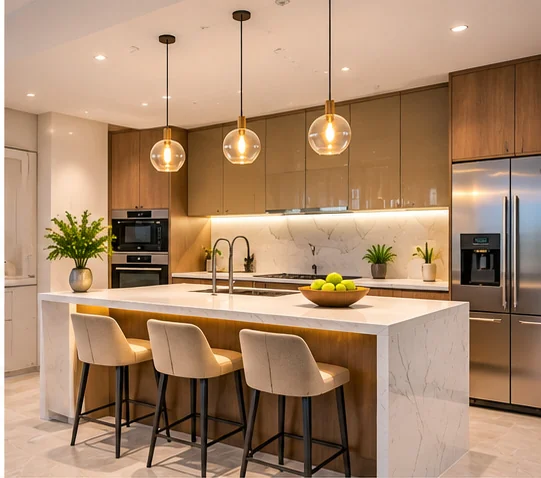
Interior design · Sample content
Explore the story ↗Design beyond
the first click.
Build archive and detail experiences around your content, with conditions that put your designs in the right places.
- Archive, single and taxonomy templates
- Post type and display-condition controls
- Taxonomy include and exclude rules
- Post and event popups
- Elementor editing and responsive controls
Every detail.
Beautifully connected.
A thoughtfully organised collection for richer content pages.
Your data. Your design.
Work with manual content or supported custom fields, context-aware field selection and manual meta keys.
Available source options depend on the widget.
Your next project.
Already in the picture.
Extend the experience to shopping, events and property listings.
Give every product
a better introduction.
Bring product information, imagery and purchase controls together in a cohesive shopping experience.
- Product Quick View
- Product Purchase Box
- WooCommerce Gallery Pro
- Product Specifications
- Additional Product Details
- Product Tabs
- Reviews & Ratings Pro
- WooCommerce Notice
- Wishlist
Purchase controls include variations, quantity, cart and Buy Now. WooCommerce is required for commerce features.

Every moment, organised.
Keep the important details, schedule and countdown together.
- Event Details
- Event Schedule
- Event Countdown
- Event meta fields
Make the details feel like home.
Show property information, location, imagery and the people behind the listing.
- Property meta fields
- Agent Details
- Dynamic Map
- Floor plans & media
Good questions.
Simple answers.
Understand the trial, choose a plan and know what happens next.
Ask us a questionHow do I start the free trial?
Create an account on our website, verify your email, then download and install Flexi Post Grid Pro on your WordPress website.
How long does the trial last?
The trial lasts 30 days. You can review your access status and expiry information in your account and plugin dashboard.
What happens when my trial ends?
Trial access ends after 30 days. Activate a paid license to continue using Pro features.
Do I need to install a different plugin to upgrade?
No. Trial and paid access use the same plugin. Activate your paid license in the existing installation.
How do the paid plans differ?
The paid plans provide licenses for 1, 5 or unlimited websites. Each includes the Pro feature collection with a one-year license.
Can I work with custom fields?
Supported widgets can use custom fields through the shared field helper. Available sources and controls depend on the widget and field type.
Does this work with Elementor and WooCommerce?
The widget collection is built for Elementor. WooCommerce is required when using the dedicated product and shopping features.
Your next great website
starts with a little exploration.
Try the Pro toolkit, explore the possibilities and choose your paid plan when you’re ready.
Start my 30-day free trialCreate account → Verify email → Download & install